Send and receive faxes securely using your email. No fax machine. No phone line. Just complete convenience.
When your business signs up for a fax account through Carolina Digital Phone, you will be assigned a number. Once the information is received and entered into our system, the number will be added to the appropriate user.
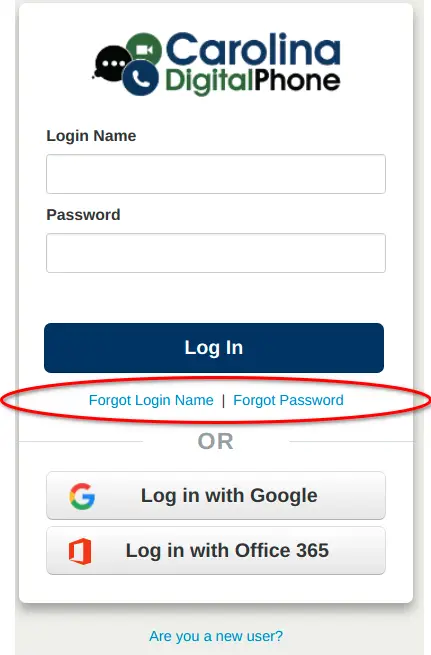
You will use your login credentials to access the Manager Portal.
Your credentials will be your Login Name and password. Your Login Name will be your extension@yourdomain. As an example, if your extension is 100 and your domain is acmewidgetcompany.com, then your Login Name would be 100@acmewidgetcompany.com.
Your password will be whatever password you have created or has been assigned to you from your company. If you have forgotten or do not know your password or login name, you can click on the Forgot Login Name | Forgot Password links at the login screen (see photo).
Step 2
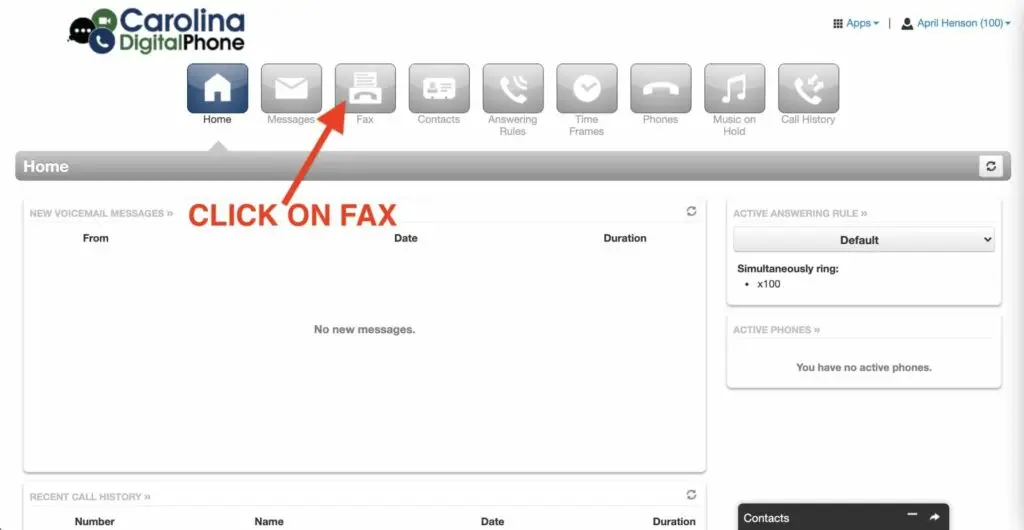
Go to Fax
Once you are logged in to the Manager Portal, you will see your account page. From here, you will click on the Fax icon at the top of the page.
Step 3
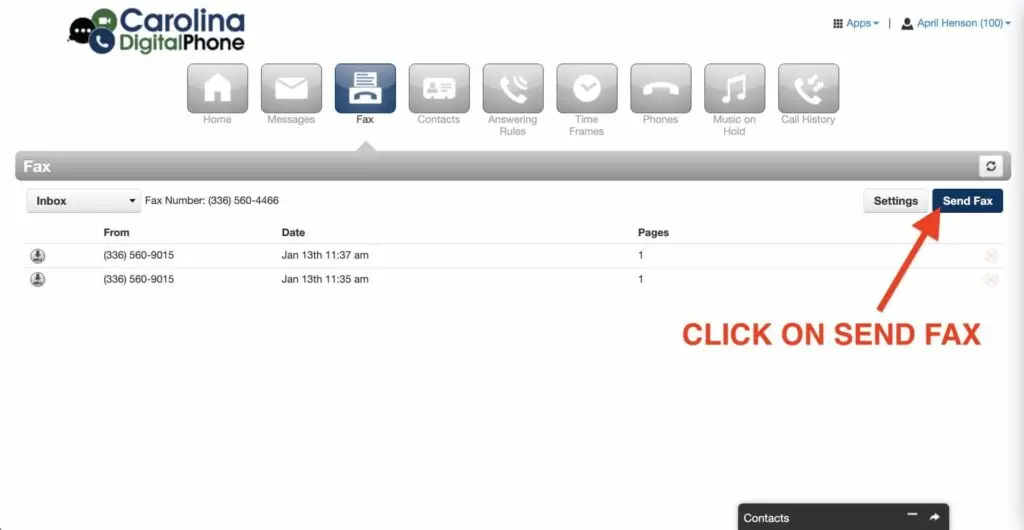
Click on Send Fax
Next, click on the Send Fax button to the right of the page.
Step 4
Enter Recipient Details
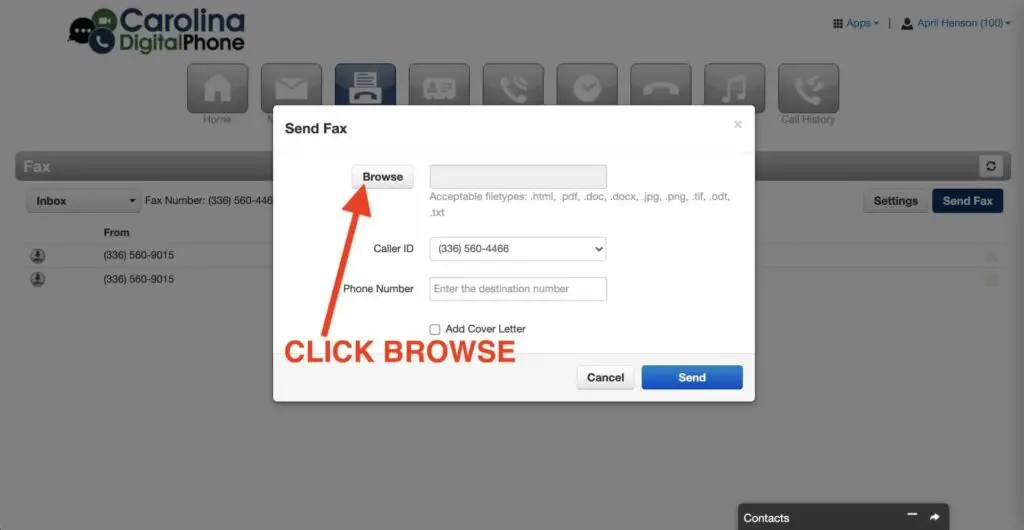
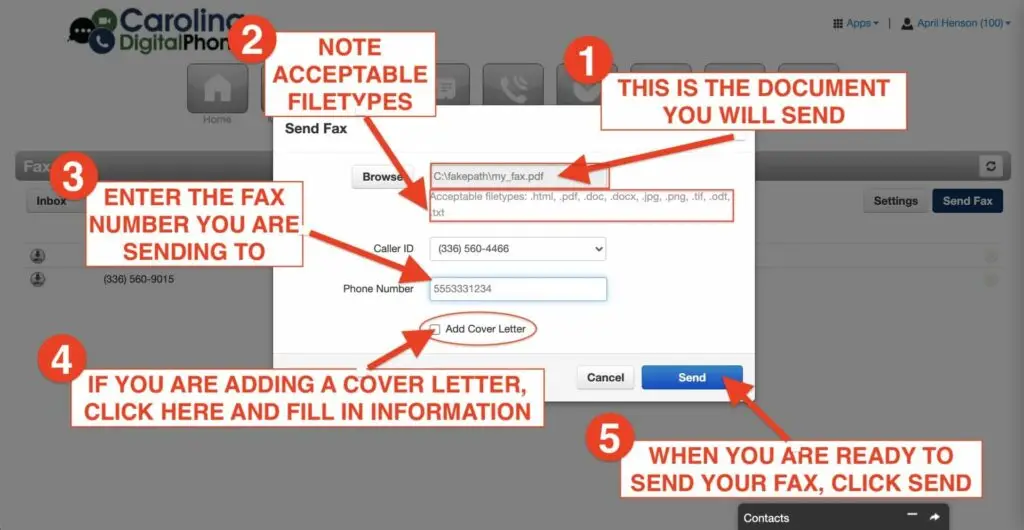
Next, click the Browse button to find the document you wish to send.
Please note acceptable file types for faxing: .html, .pdf, .doc, .docx, .jpg, .tif, .odt and .txt.
Step 5
Add your Fax Details
Enter the phone number to which you are sending.
Step 6
Attach Your Document
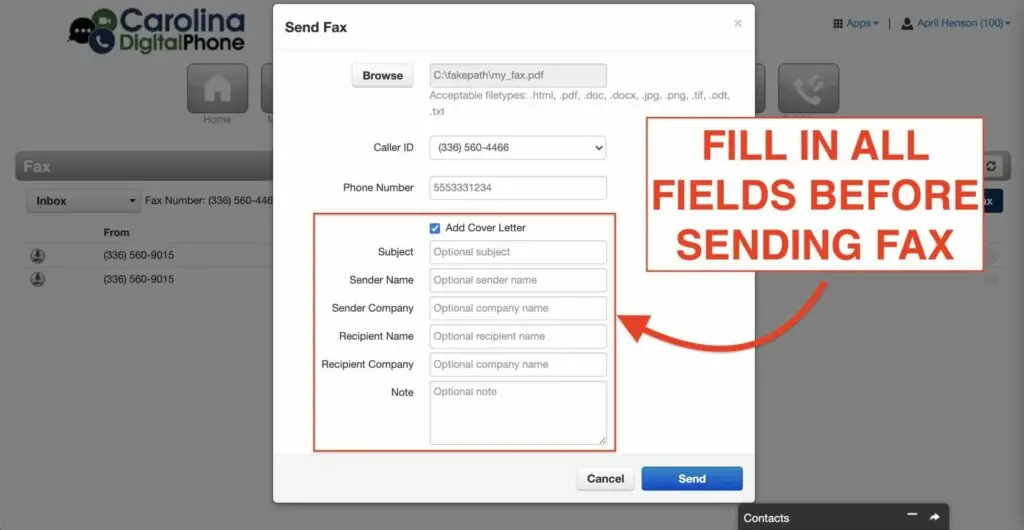
Check the Add Cover Letter box, if you would like to include a cover letter. *(Please note this is optional. If you do click the Add Cover Letter box, you will be taken to a screen to fill in your information for the cover letter).
Step 7
Review and Send
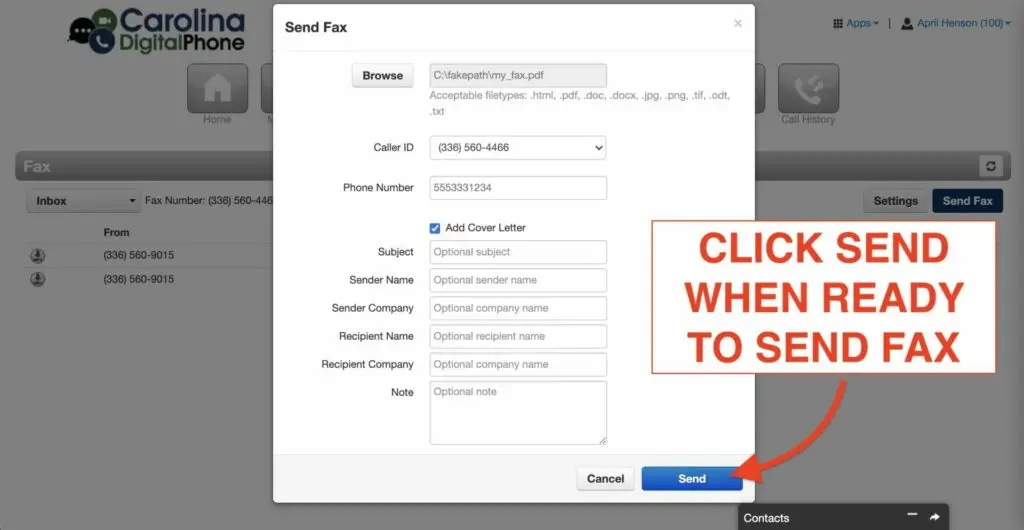
When you are ready to send, simply select the blue Send button.
How To Fax: Finishing Touches
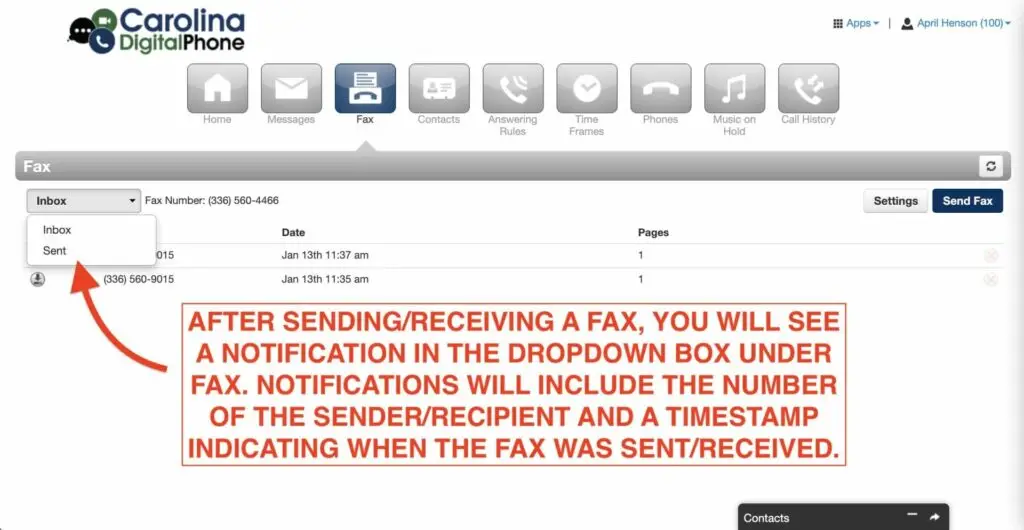
That’s it! When your fax sends, you will get a notification of when and to which number the fax was sent/received.